
How to install (paid version)
The paid version has a couple more steps to active the authentication system
To install this indicator, you'll need to place it in your MT4 Indicator folder. Follow these steps:
Download the indicator from here
Open MT4. If you don't have MT4, you can download a demo version from these recommended brokers (we've tested over 40 different brokers):
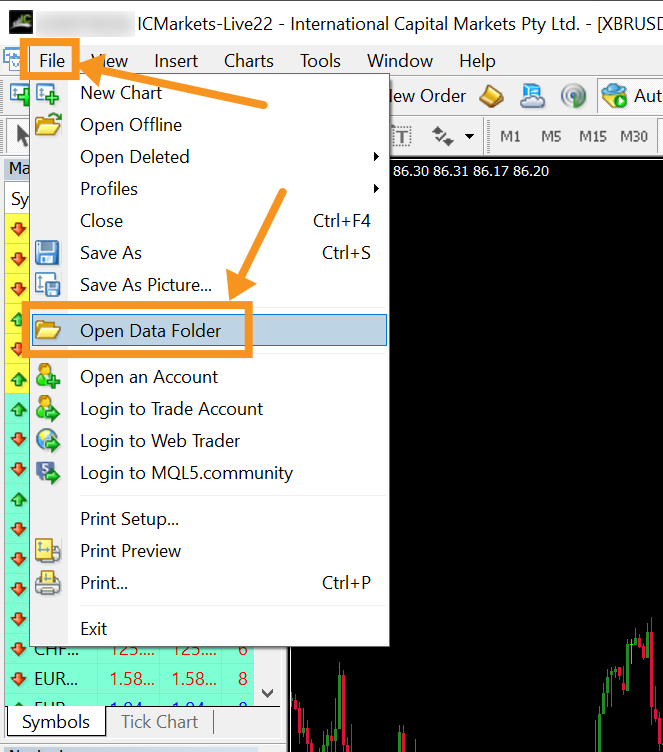
Once MT4 is opened, you want to navigate to the top left corner and select file > open data folder
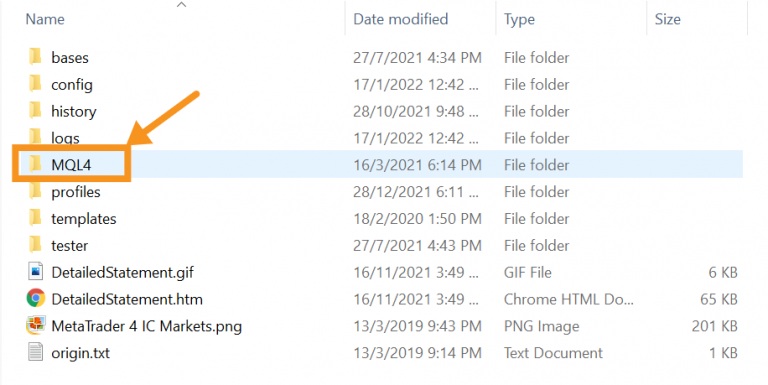
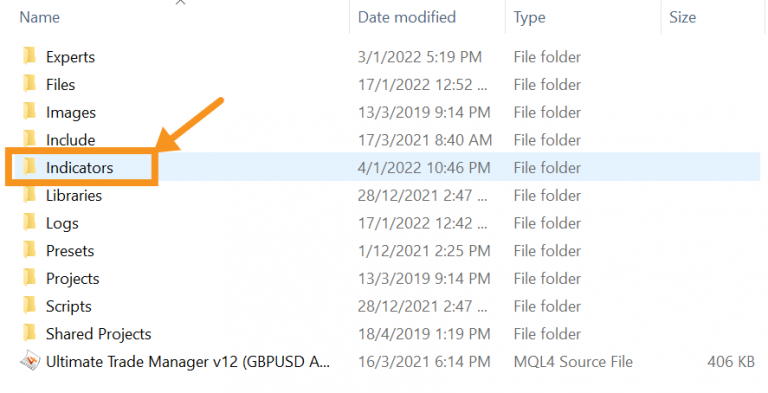
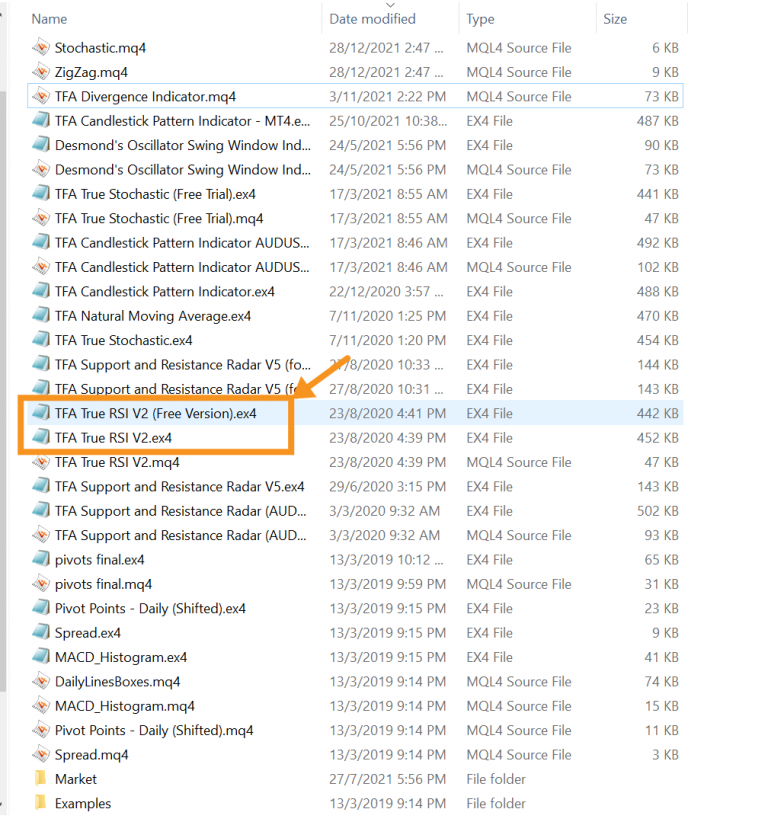
Select MQL > Indicators > Then paste the True RSI.ex4 indicator into here
Go back to MT4 and under your "Navigator" section, right-click on "Indicator" and click "Refresh". This will ensure you can see your newly loaded MT4 True RSI indicator.
Alternatively, you can just close and reopen MT4.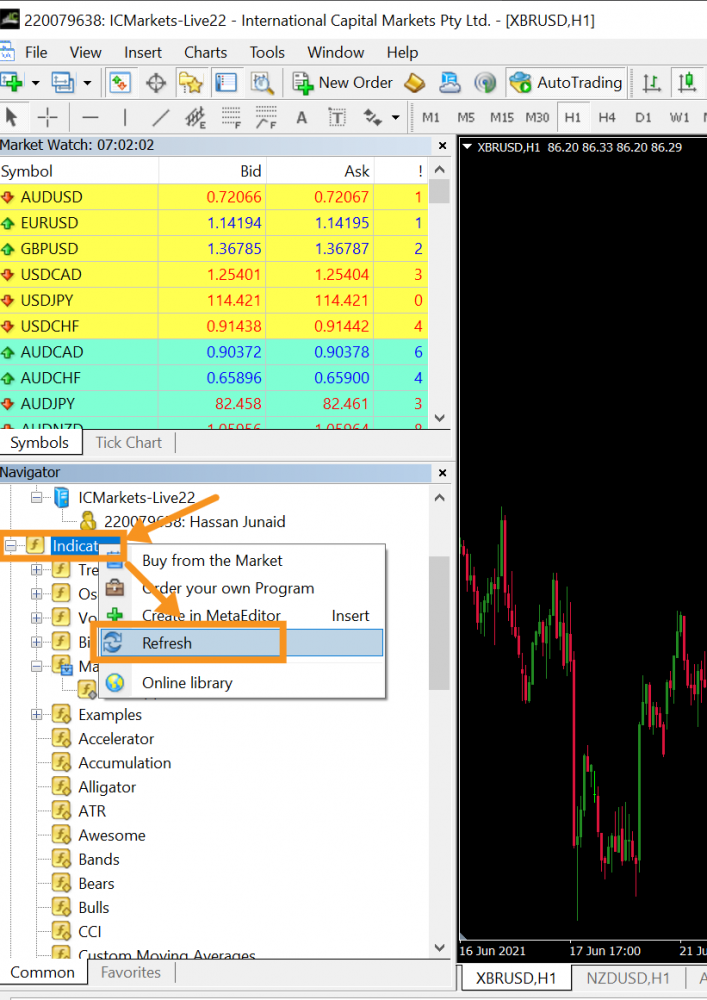
Click on "Tools" at the top of your MT4 followed by "Options"
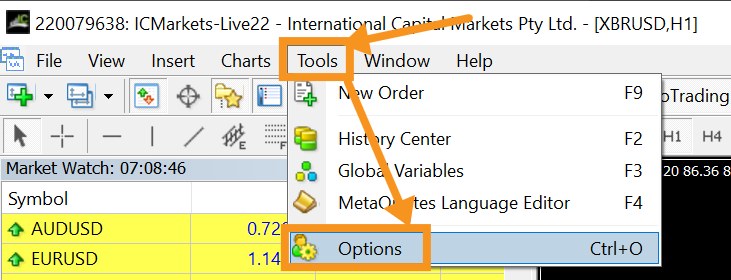
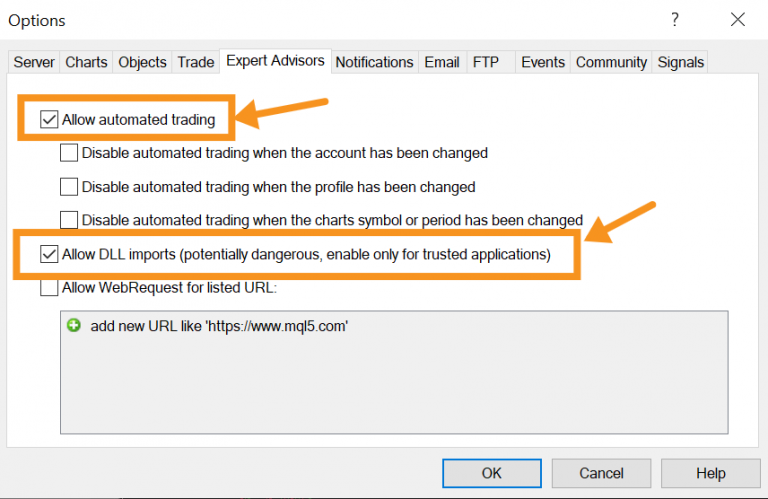
Ensure these 2 boxes are checked to allow the authentication system to work.
Allow automated trading (don't worry, there won't be any automated trading, it's just MT4 being weird)
Allow DLL Imports