

How to install (free version)
To install this indicator, you'll need to place it in your MT4 Indicator folder. Follow these steps:
Download the indicator from here
Open MT4. If you don't have MT4, you can download a demo version from these recommended brokers (we've tested over 40 different brokers):
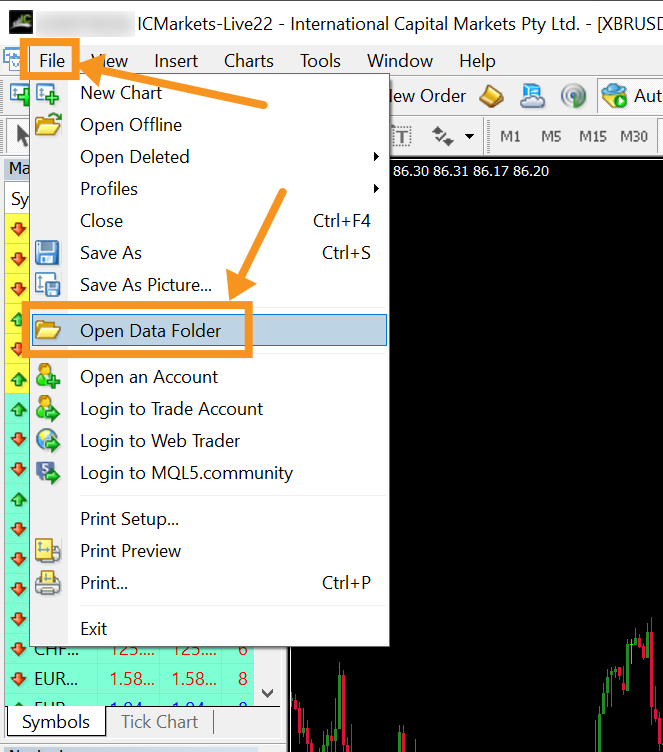
Once MT4 is opened, you want to navigate to the top left corner and select file > open data folder
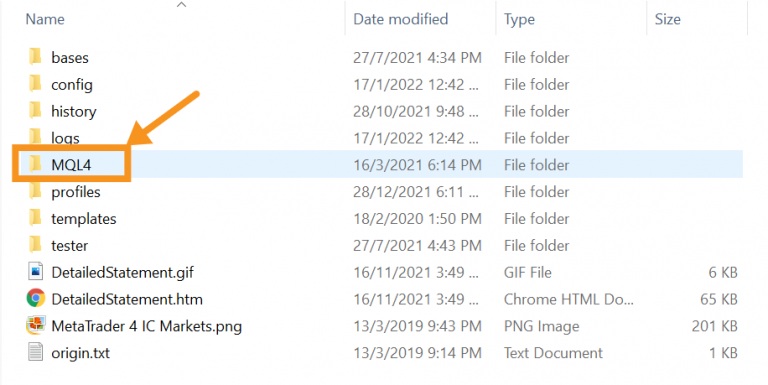
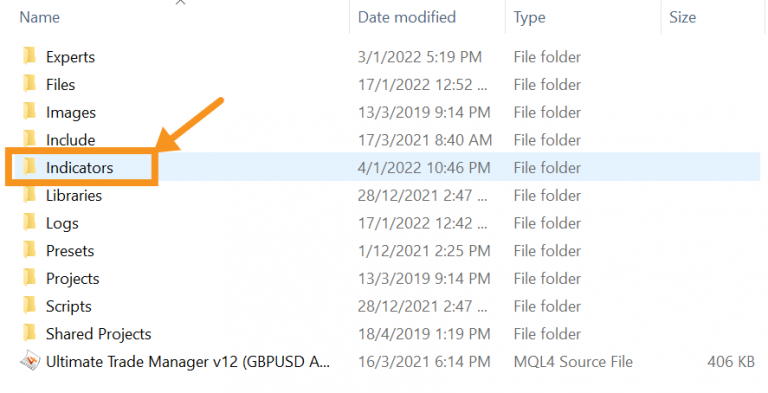
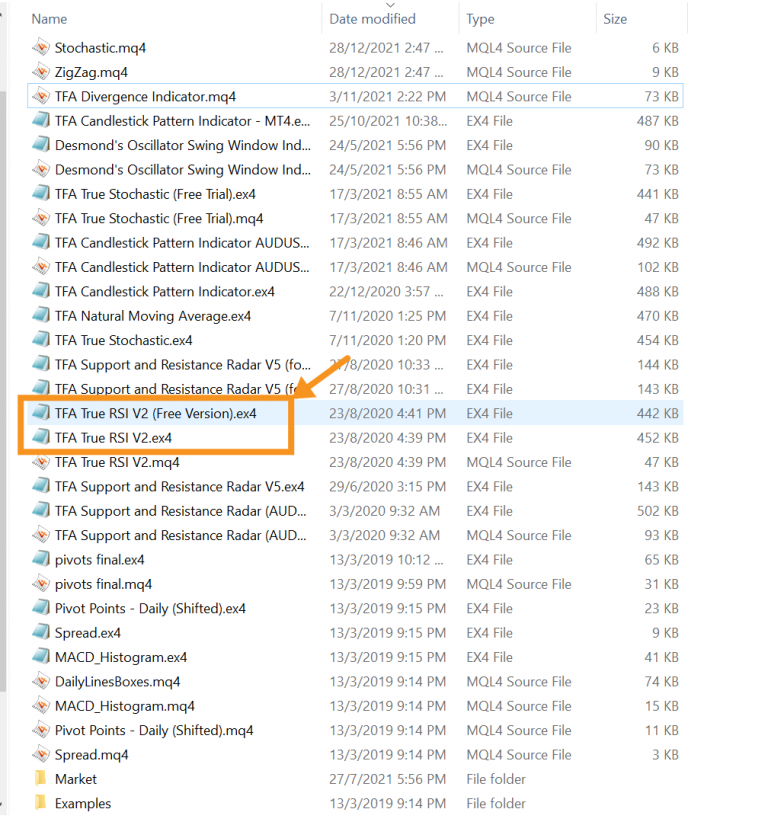
Select MQL > Indicators > Then paste the True RSI.ex4 indicator into here
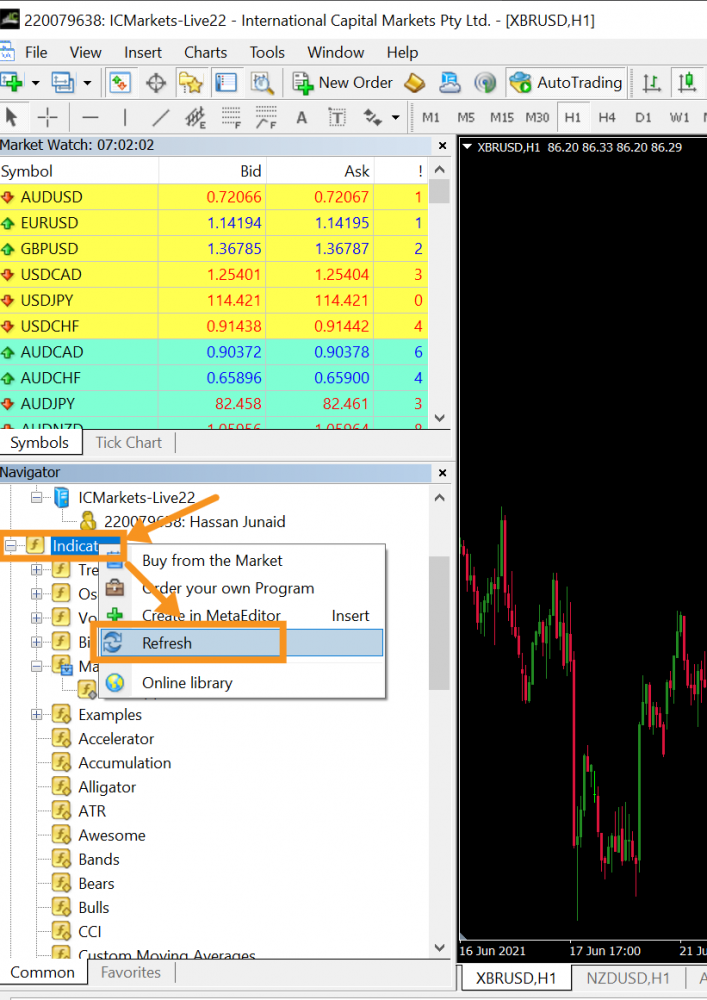
Go back to MT4 and under your "Navigator" section, right-click on "Indicator" and click "Refresh". This will ensure you can see your newly loaded MT4 True RSI indicator.
Alternatively, you can just close and reopen MT4.
To use the indicator, simply double click on it, or drag and drop it onto your chart.
